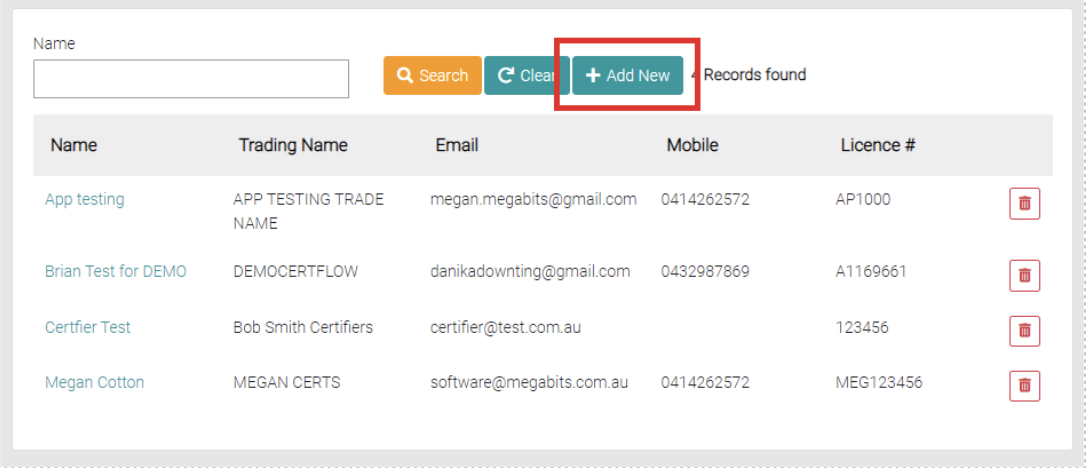
Add a new Certifier by using the Add New button.
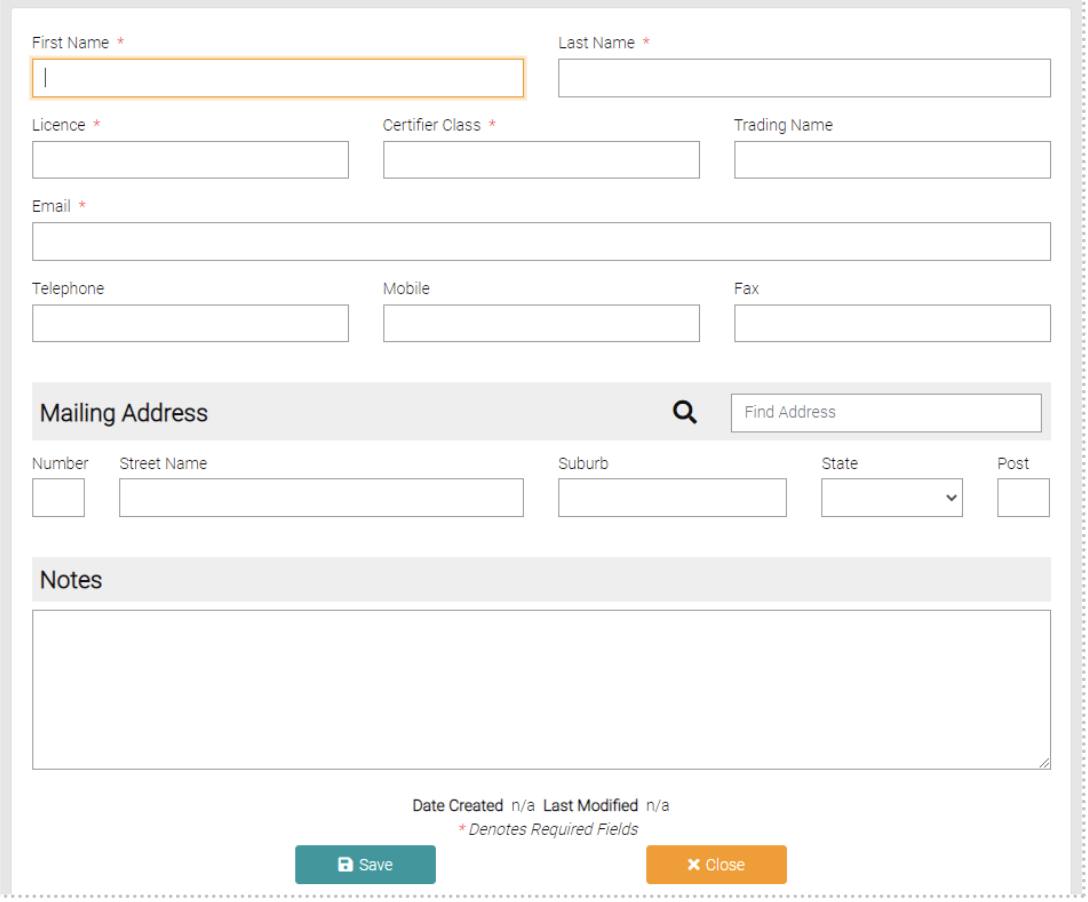
Fill out the text fields, any field with the * symbol need to be filled out.
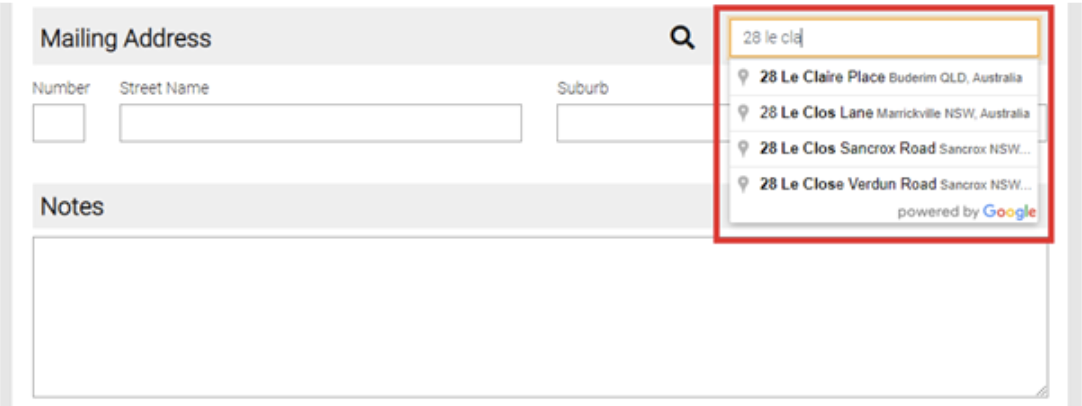
Use the Find Address text field to automatically fill in the address, start typing the address and it will suggest addresses, select the correct one.
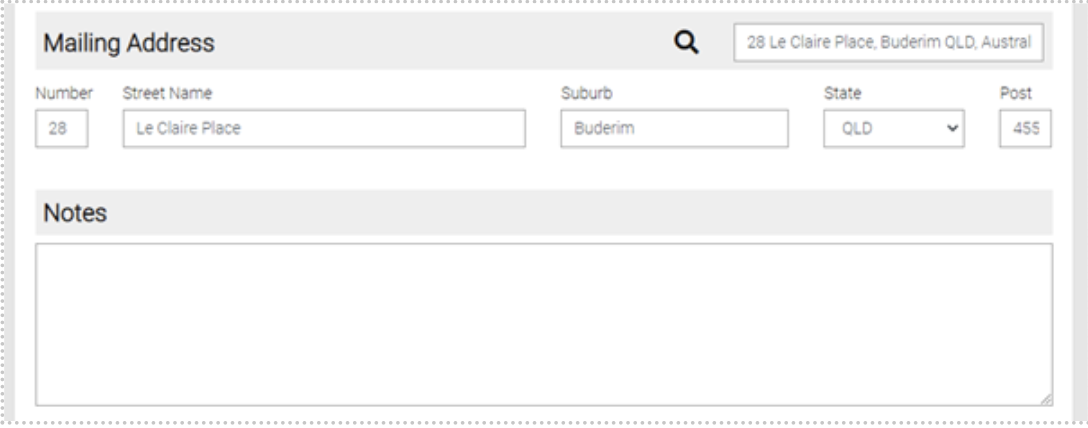
Once all information is added use the Save button to save the New Certifier or use Close to go back to the list of Certifiers.

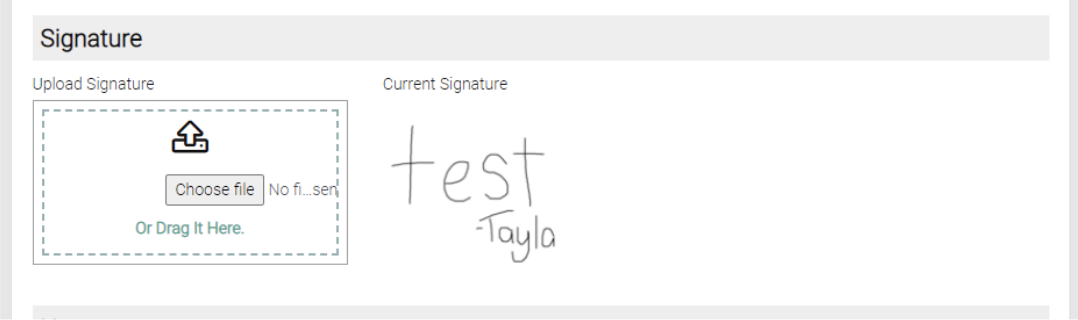
Once you have saved you can upload a signature to the certifier. Either click and drag the file from Windows to the Upload Signature box or click Choose File and select the file.
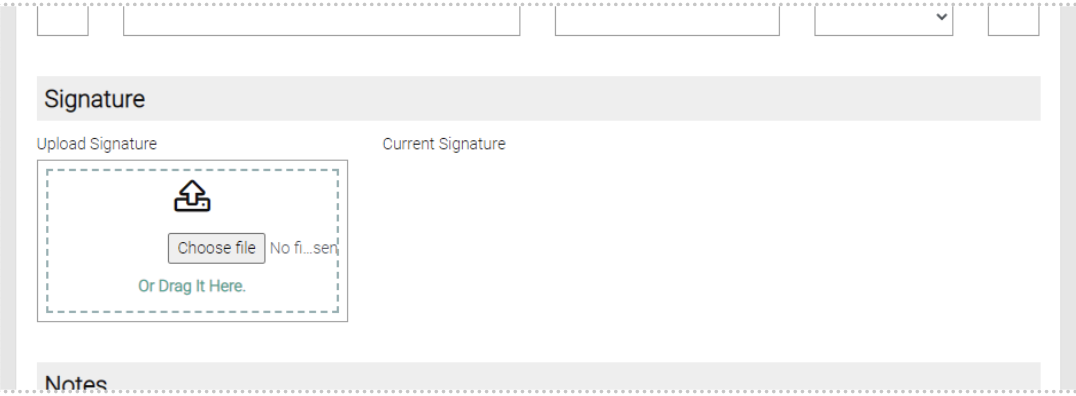
Then click on Upload Selected File to upload it to the Certifier
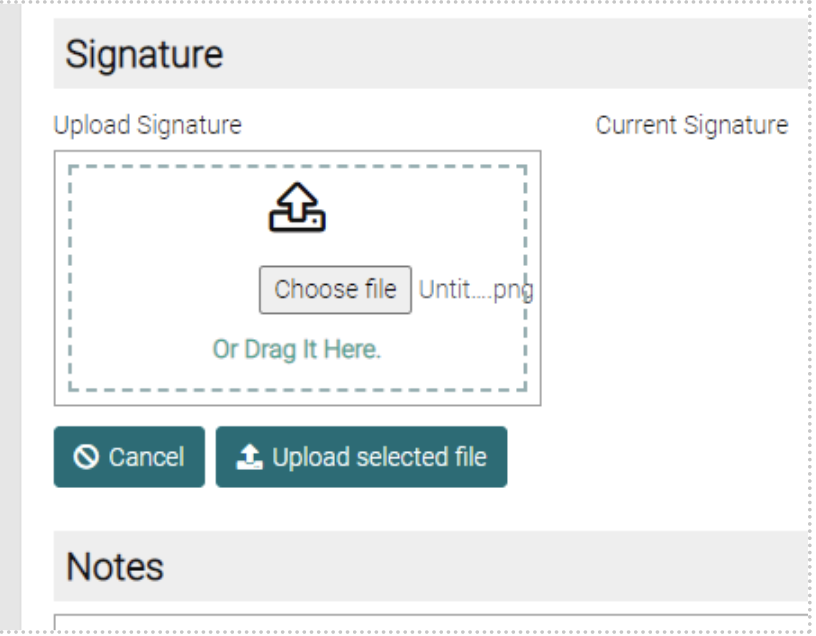
A Preview of the Signature is shown beside the upload signature