Quotes show all quotes, their status and Quote Date.
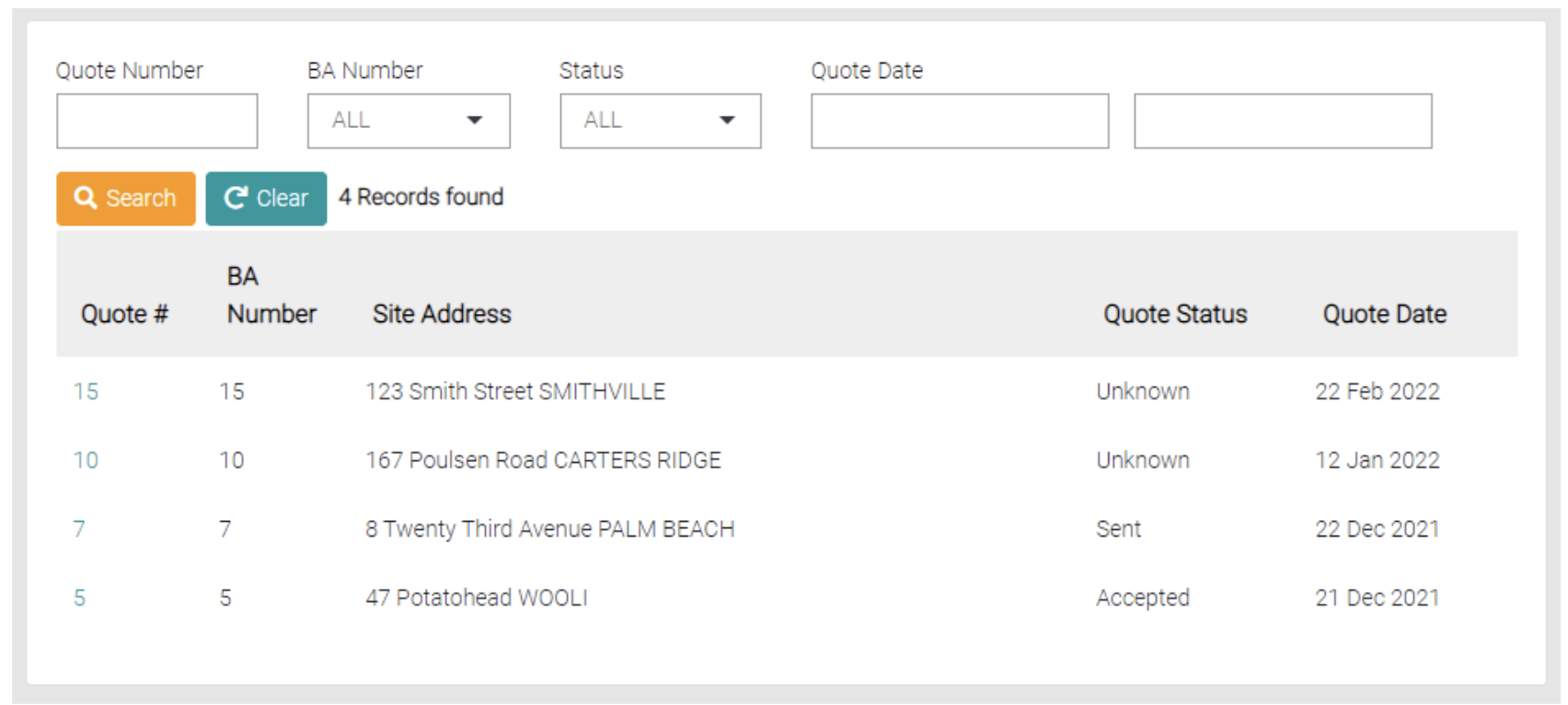
Search
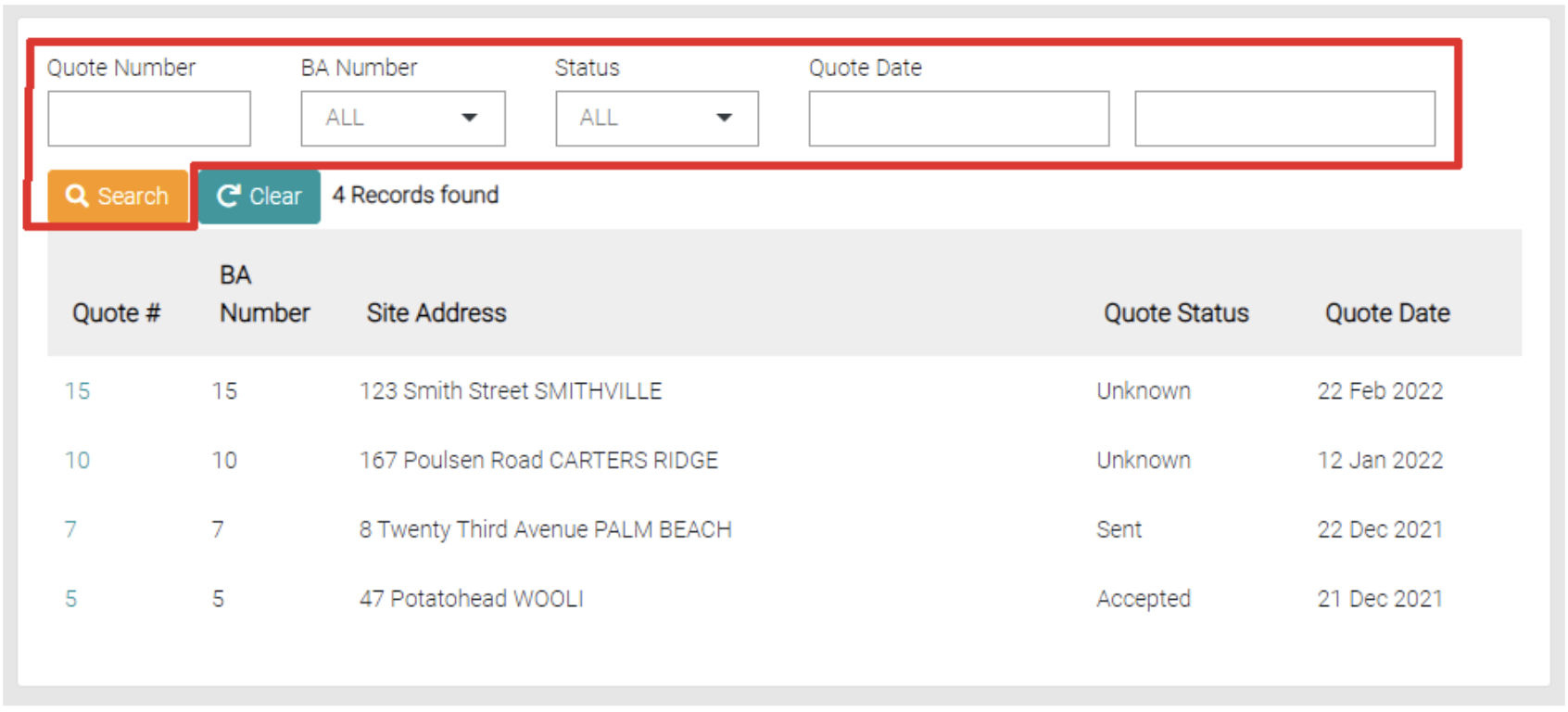
Use the text fields to add filters to the search. Filters include Quote Number, BA Number, Status and Quote Date
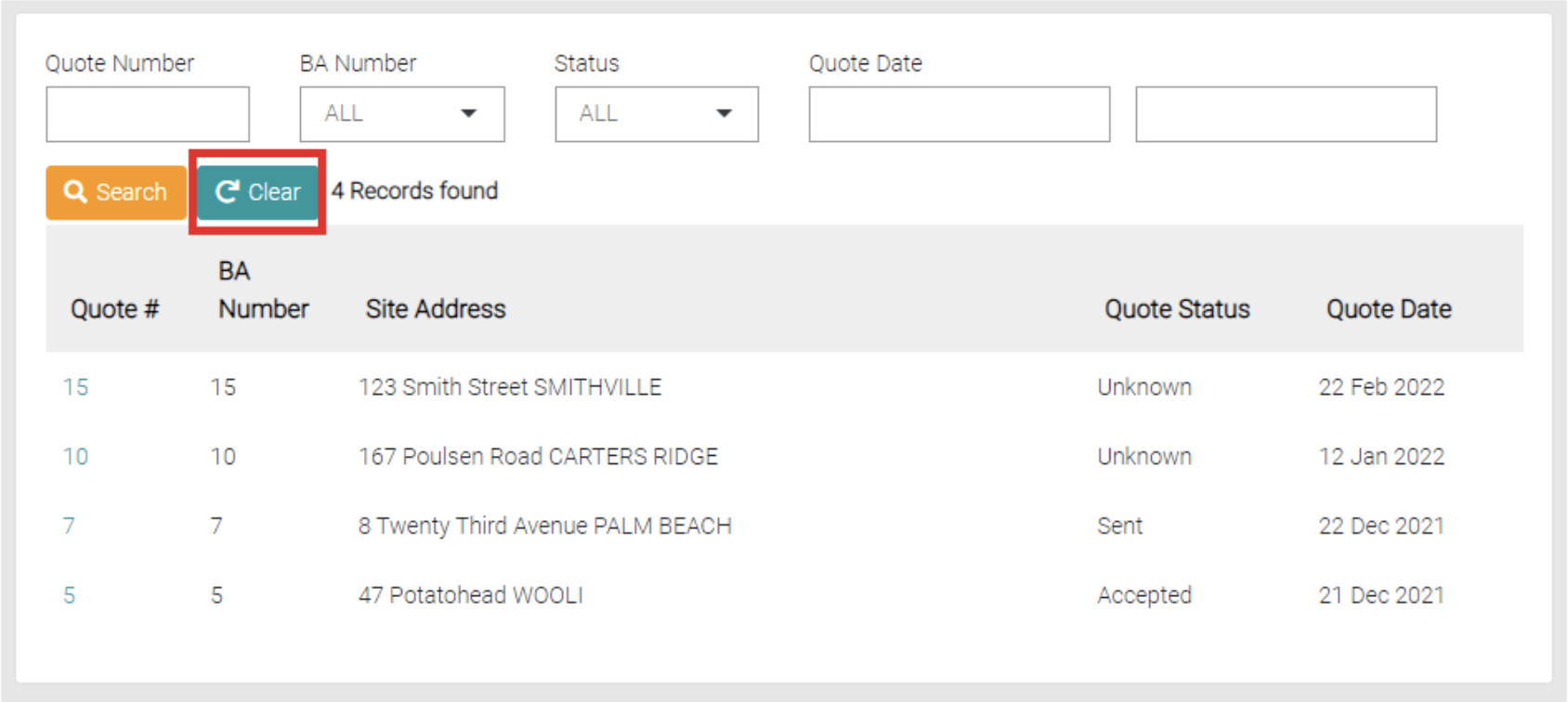
Use the Clear button to remove the search filters.
Edit
To edit a quote existing on the Quotes page click on the Quote # of the respective job.
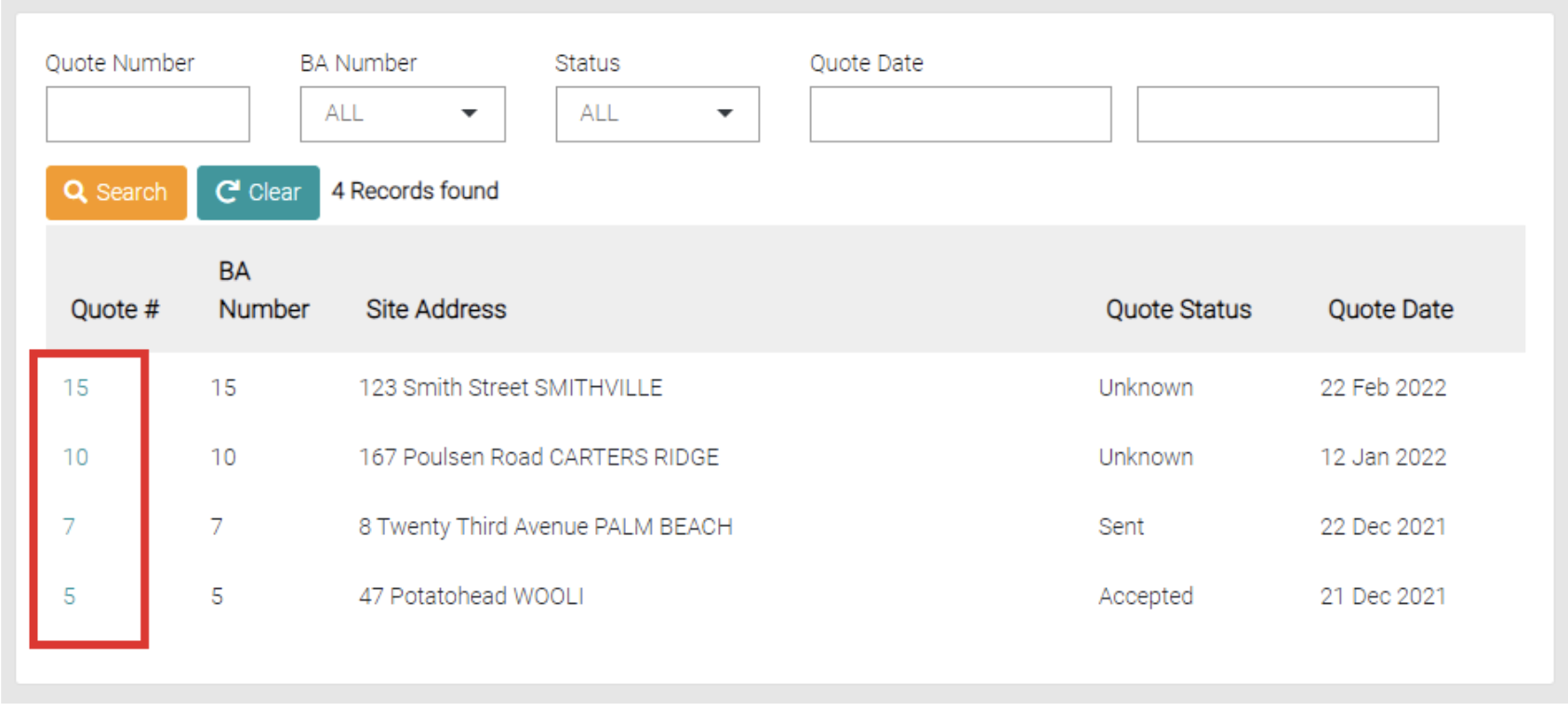
This Tab opens the Quotes tab on the respective job.
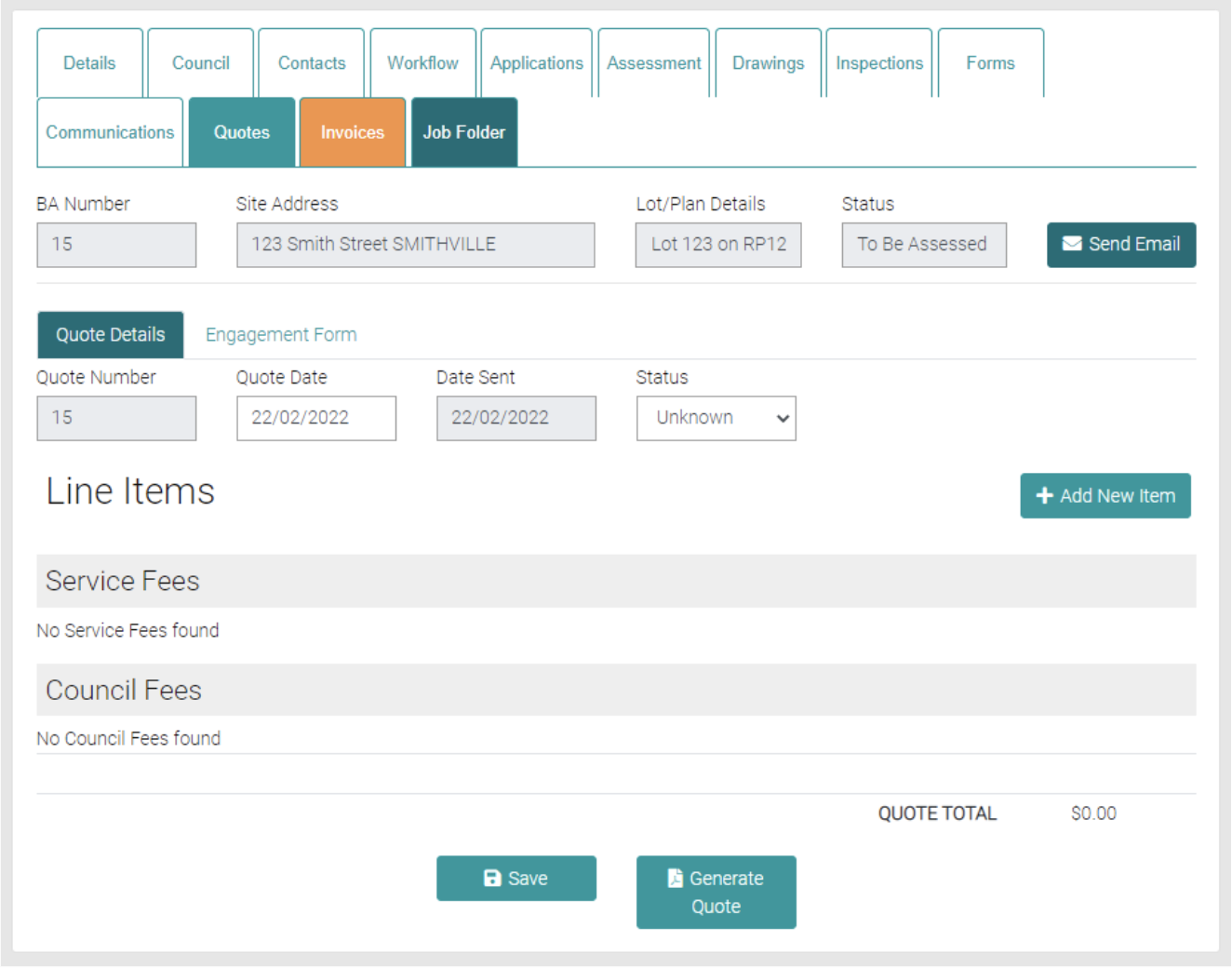
Add New Item
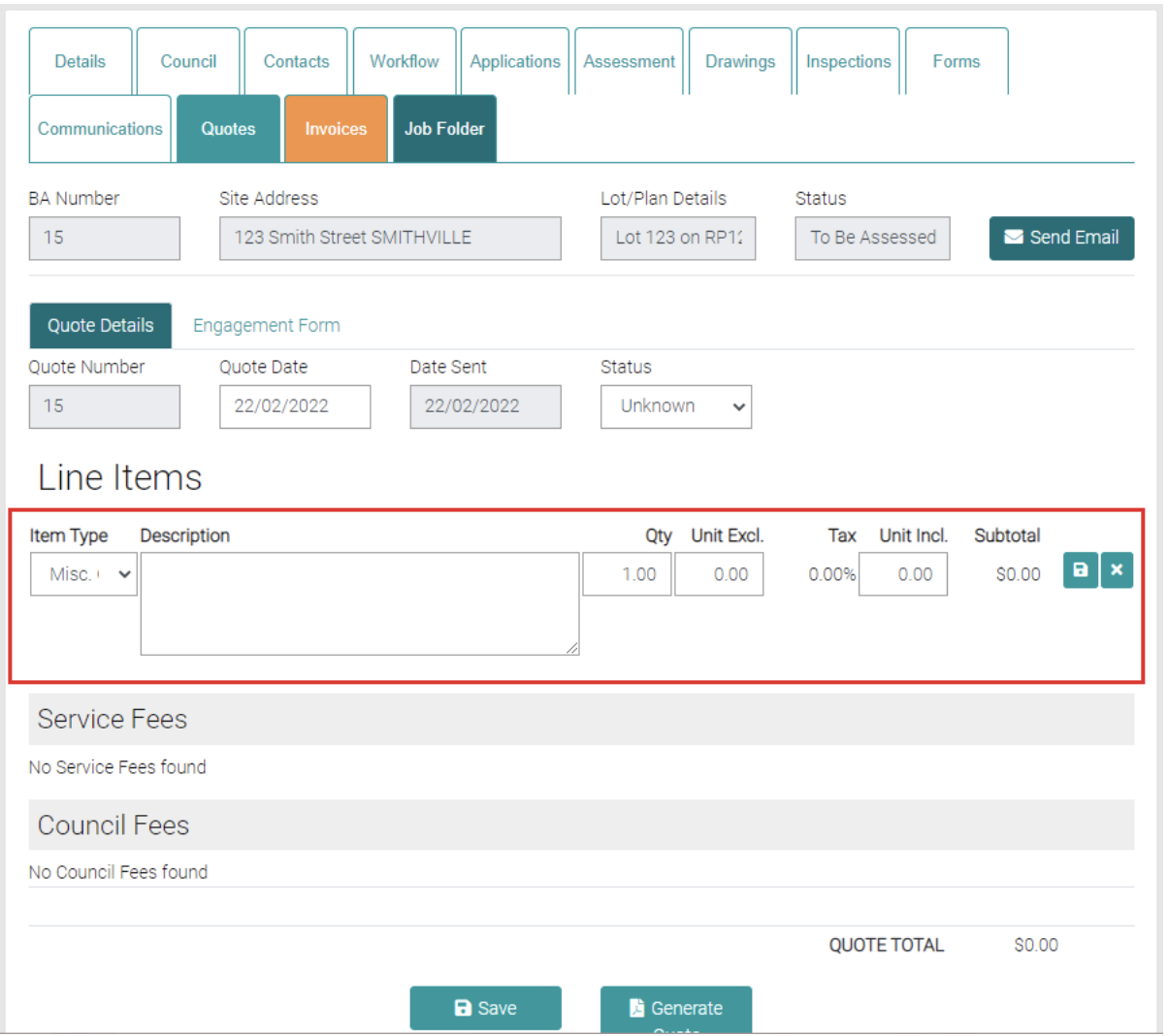
The Add New Item button opens text fields that allow new Service Fees or Council Fees.
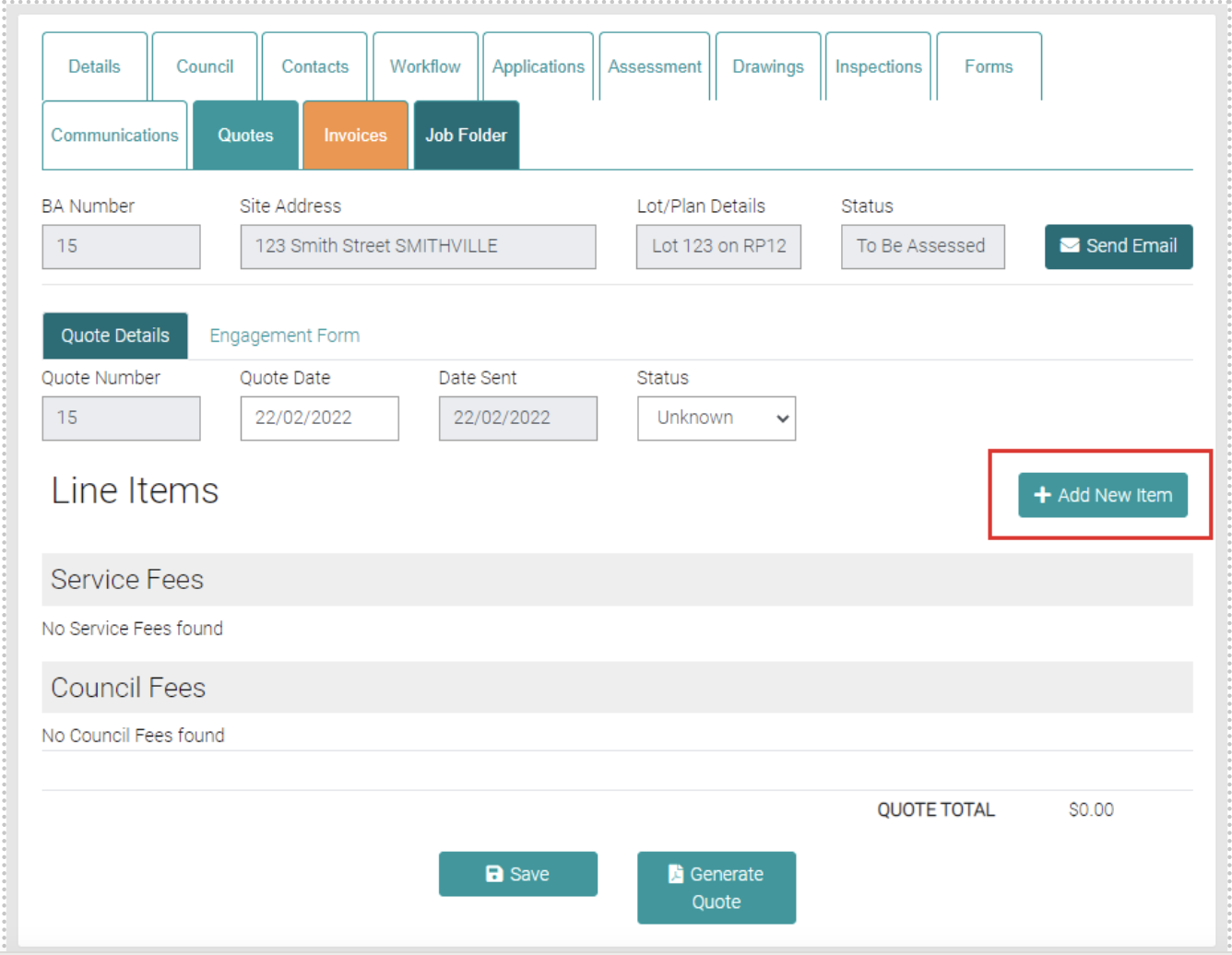
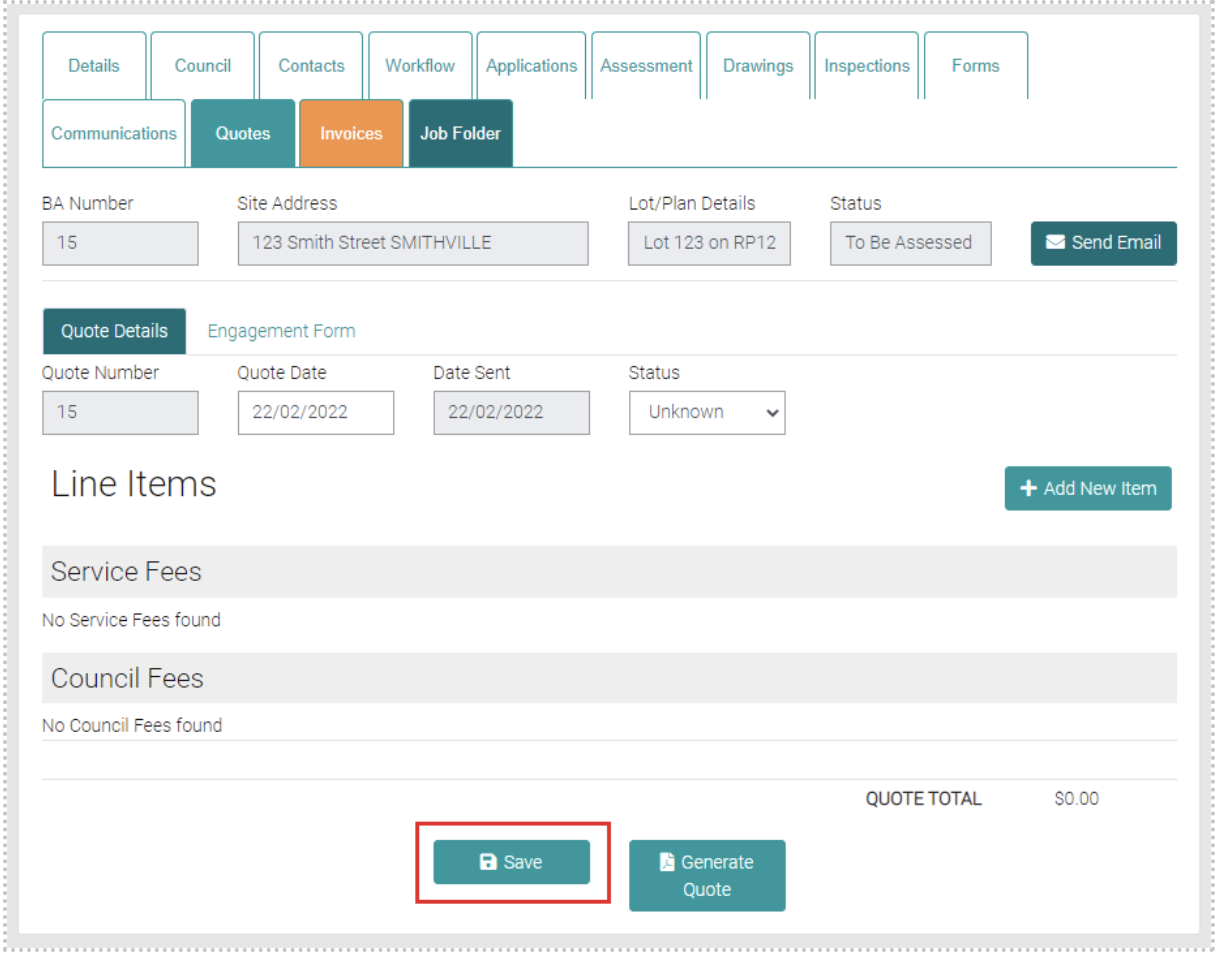
Item Type dictates if the new item is a Council Fee or Service Fee, the Description text field can add further details to the Fee, the Qty shows how many of these Fee’s exist, Unit Excl. is the cost per Item and Subtotal shows the cost of the new Item. Use the Green save button to save the new Item or the Green cross to close and not save the new item.
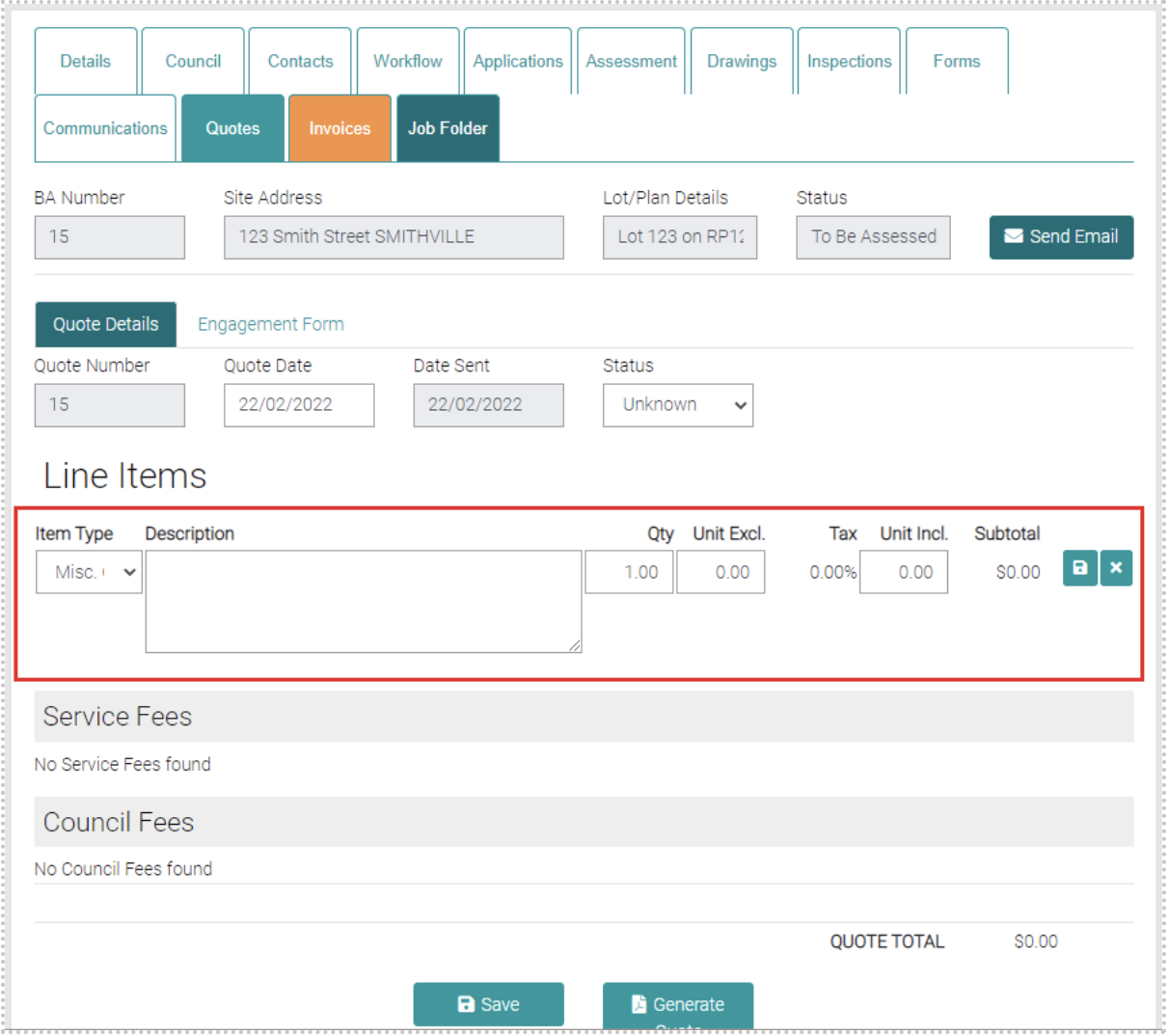
Delete Quote Items
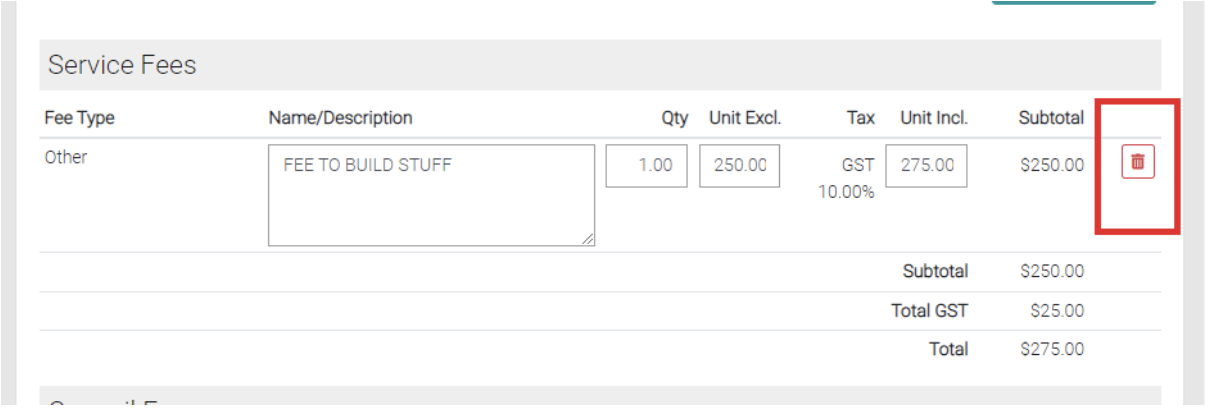
Use the red trash can to delete existing items on the quote.
Generate Quote
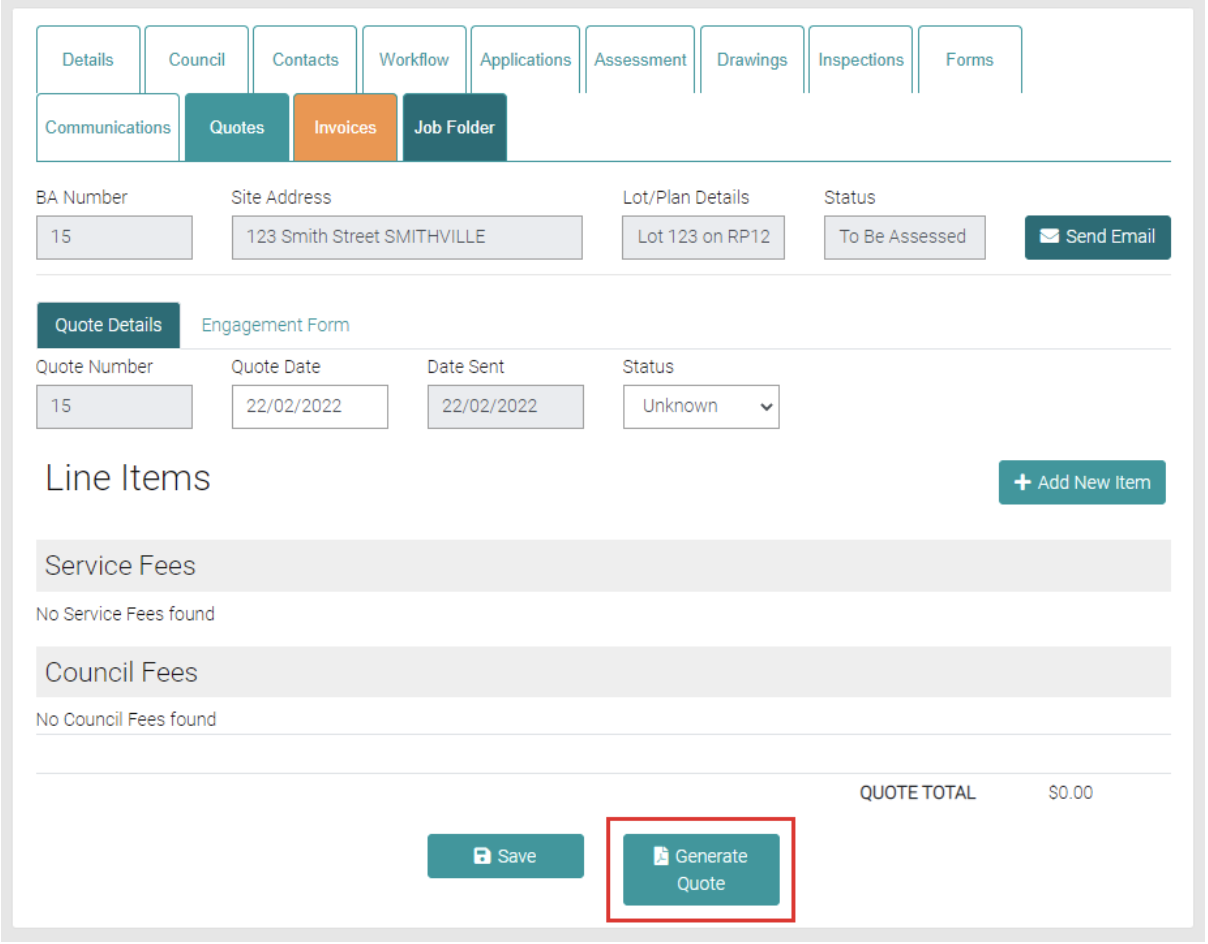
Generate a Quote by using the Generate Quote button, this will download a PDF of the quote.