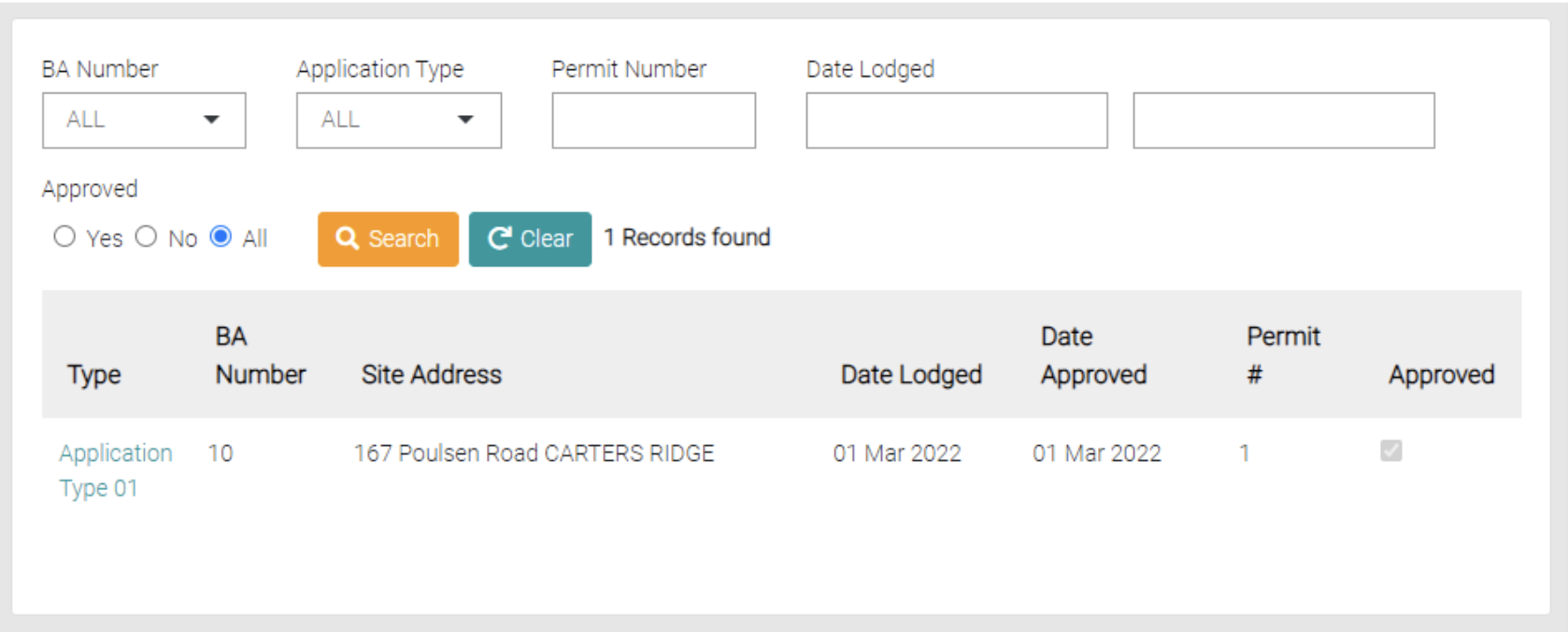
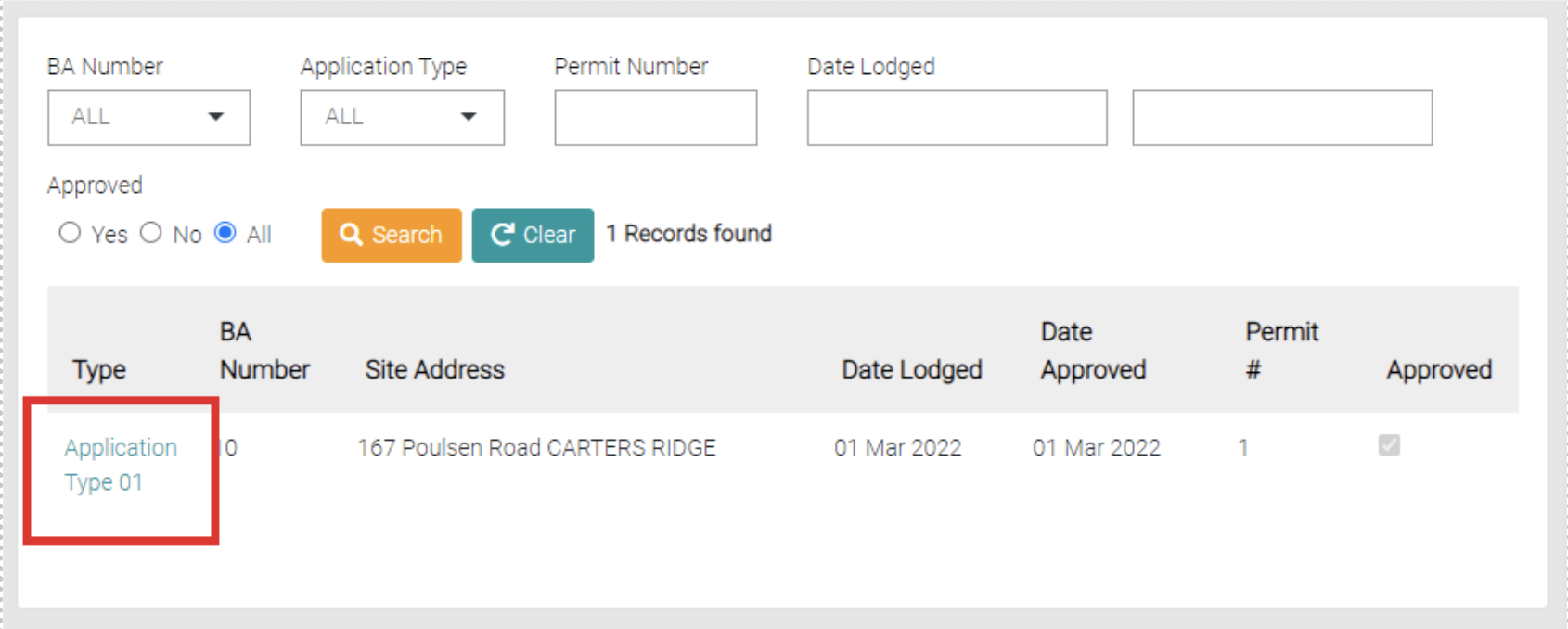
This is where all Council Applications are shown, you can see the Type, BA Number, Site Address, Date Lodged, Date Approved, Permit # and if it has been approved.
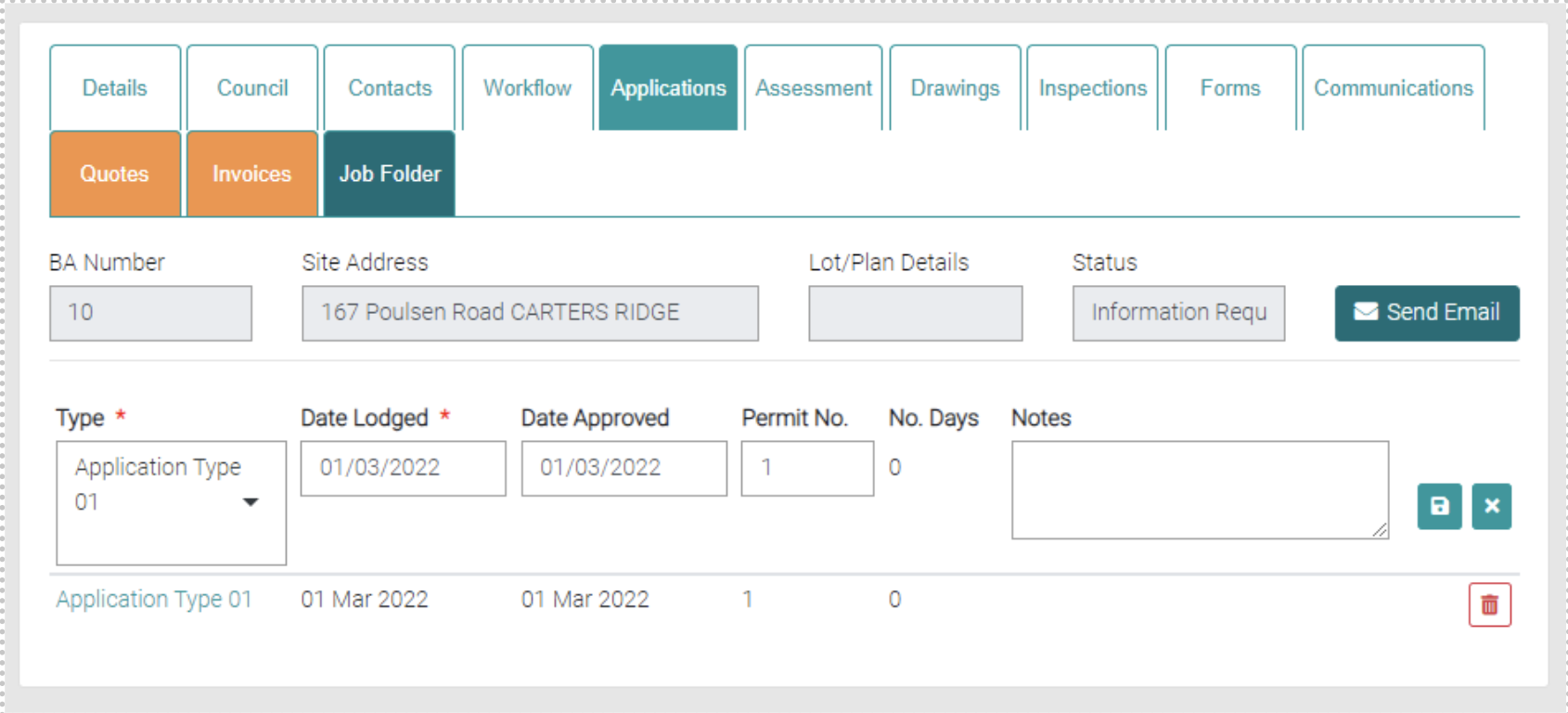
New Council Applications are made within the Job > Applications.
Search
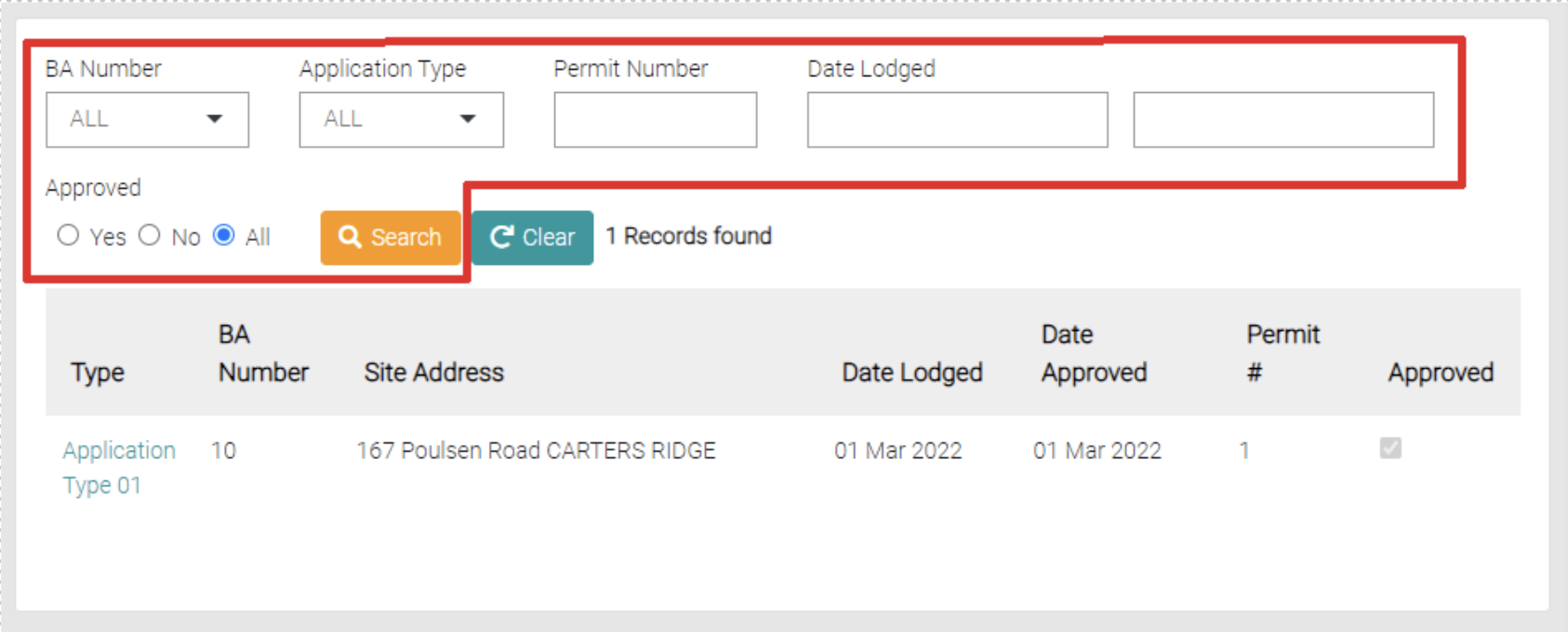
You can search the Council Applications by Type, BA Number, Site Address, Date Lodged, Date Approved, Permit # and approval status. Use the Search button to apply the filters.
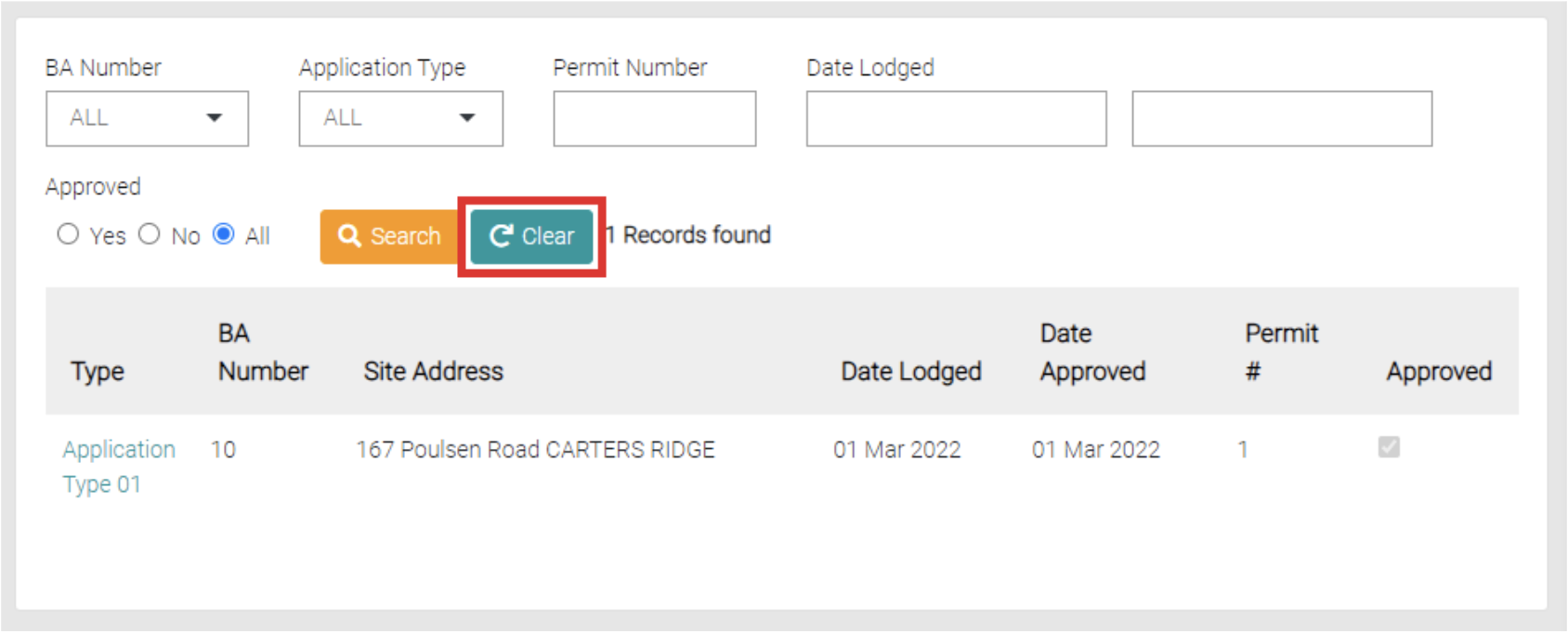
Use the Clear button to clear any filters on the Search.
Edit
To edit the Council Application, click on the Application Type.
This opens into the relevant Job inside the Application tab. The Application being edited is already in the text fields so make any changes and use the green Save button to apply changes or the green cross to not apply changes. This is where Applications can be deleted or created.